Picking a graphics card in 2026 is genuinely harder than it used to be. Nvidia’s RTX 50-series, AMD’s RX 9000-series, and Intel’s Arc B-series all overlap in price now, which means the spec sheet alone won’t tell you much. What matters more is what you actually play, at what resolution, and whether you’re the type who upgrades every two years or holds onto a build for five. Below is what I’d tell a friend asking for advice before they hand over their money.
1. Set Your Budget the Right Way
Here’s a mistake I see constantly: people pick the GPU first, fall in love with a number on a benchmark chart, then squeeze everything else into whatever’s left. Do it the other way around. Set a total build budget and let the GPU take roughly 35-45% of it. On a $1,000 build that’s a $350-$450 card enough for something like an RTX 5060 Ti or an RX 9060 XT, either of which is comfortable at 1080p and even light 1440p.
And don’t be the person who drops $500 on a GPU and bolts it onto a five-year-old CPU. The processor becomes the ceiling, and you paid for performance you’ll never actually see.
2. Match the Card to Your Actual Monitor
This is where I see people overspend the most. If you’re on a 1080p, 144Hz panel, you do not need a flagship card. Something in the RTX 5060 or RX 9060 range will hit high frame rates in most titles for under $350 a flagship here is money left on the table.
Step up to 1440p and the math changes; you’re rendering roughly 1.8x the pixels of 1080p, so the RTX 5070 or RX 9070 class is where you want to be. 4K is its own conversation entirely only the RTX 5080/5090 or RX 9070 XT hold up in demanding titles without leaning hard on upscaling to get there.
3. VRAM: How Much Do You Actually Need in 2026?
Textures keep getting heavier, and ray tracing piles more on top. Rough guide, based on what I’d actually recommend:
- 8GB Okay for 1080p in older or lighter games, but it’s starting to feel tight in 2026 releases
- 12GB This is the realistic floor for 1440p this year, not a “nice to have”
- 16GB+ Worth it if you edit video, run local AI models on the side, or just want breathing room for the next couple of years
One thing people get wrong constantly: more VRAM does not mean a faster card. Think of it as a buffer, not a booster. A card with 16GB of VRAM sitting on a weak GPU core will still lose to a better-balanced card carrying less memory.
There’s also a texture-streaming issue worth knowing about. Some newer titles will technically “run” on 8GB, but you’ll notice textures popping in late or looking blurry up close as the game swaps data in and out of a memory pool that’s too small. It’s not a crash, it’s not an error message it’s just a worse-looking game, which makes it easy to miss if you don’t know what to look for. If you’ve ever wondered why a game “runs fine” on paper but still looks off, this is often the reason.
4. Nvidia vs AMD vs Intel: What Actually Differs
Nvidia still wins on ray tracing, and DLSS remains the most mature, most widely supported upscaler out there — that’s the whole reason competitive and ray-tracing-heavy gamers keep going back to it.
AMD’s pitch is different: more raw rasterization per dollar, plain and simple. FSR has also closed a lot of ground on DLSS with recent driver updates, so the gap isn’t what it used to be.
Intel’s Arc B-series, meanwhile, is the best budget play Intel has managed so far. I’d still be a little cautious, though driver stability in less mainstream titles hasn’t fully caught up to the other two, so check recent reviews for the specific games you play before you commit.
Worth mentioning too: software ecosystem matters more than people expect. Nvidia’s control panel, streaming tools, and creator apps are the most polished of the three, which is part of why streamers and content creators lean toward it even outside of pure gaming performance. AMD’s software has improved a lot in the last couple of years but still trails slightly in polish, not performance. None of this should be the deciding factor on its own, but it’s worth weighing if you do more than just game on your PC.
5. Don’t Skip Upscaling and Frame Generation
I used to think of upscaling as a fallback for weak cards. That’s outdated thinking. DLSS, FSR, and XeSS are often the actual difference between a stuttery 45fps and a smooth 90fps+ at the same resolution, on the same hardware. If your monitor runs 144Hz or higher, double-check the card supports the newest version of its upscaling tech before buying older-gen cards sometimes miss out on the latest frame-generation features entirely.
6. Check Your PSU and Case Clearance
This step gets skipped constantly, and it’s the reason people end up with a system that randomly crashes under load. Power draw swings a lot between cards something like the RTX 5060 might only need a 550W PSU, while an RTX 5080 wants 750W or more. Go by the manufacturer’s recommended wattage, not just whatever number is printed on your PSU’s label, since actual rated output can differ.
Measure your case too. A lot of the 2026-era flagship cards are running 320mm or longer now, and that simply doesn’t fit in a lot of smaller cases. Check before you buy, not after it arrives.
7. Buying Used: When It Makes Sense
A used card from a seller with a decent reputation, ideally with some warranty still on it, can be a genuinely smart buy especially if it’s one generation behind the current flagships. The real risk is mining history. A card run under sustained heavy load for months on end can have a noticeably shortened lifespan. Ask the seller directly. And watch for the tells: heavy dust buildup, signs the thermal paste was recently replaced, or a price that’s unusually low for what the model normally goes for.
8. Buy Slightly Ahead, Not Just for Today
Say you’re gaming at 1080p right now but you know a 1440p monitor is coming in a year or two. It’s almost always cheaper in the long run to buy a card that handles 1440p comfortably now, rather than upgrading twice. I’m not talking about future-proofing five years out — GPU generations move too fast for that to make sense. A one-or-two-tier buffer above your current needs is usually the sweet spot.
9. Trust Benchmarks Over Marketing
Manufacturer slides are marketing, not data treat them that way. They rarely reflect how a card actually performs in the games you play. Two cards with near-identical spec sheets can behave very differently once driver optimization and architecture come into it. Look for reviewers who test frame times, temperatures, and noise under sustained load, not just a peak number pulled from a single benchmark run. If they test the exact games you play, even better.
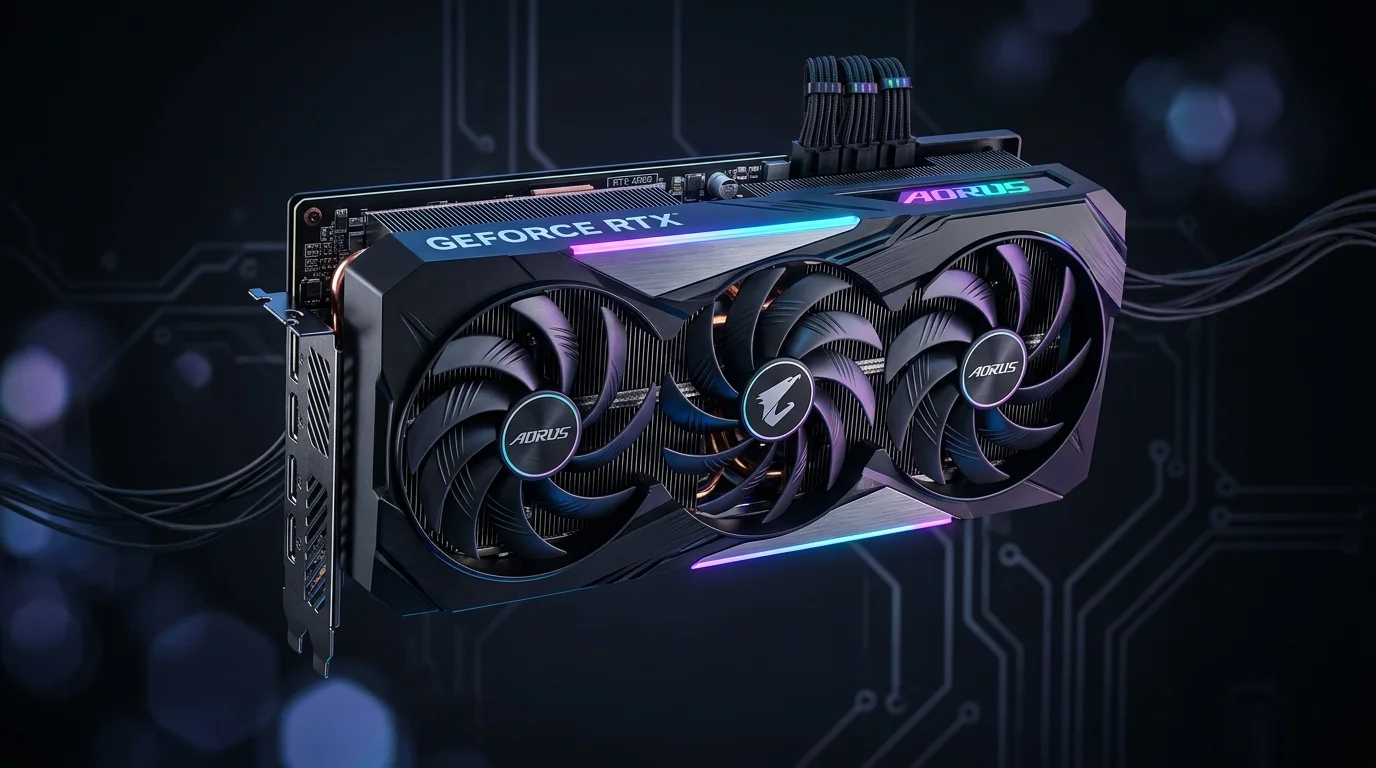
10. Don’t Overlook Cooling and Noise
This one rarely makes it into buying guides, but it should. Two cards with the exact same GPU chip can ship with wildly different cooling solutions depending on the manufacturer some run cool and near-silent under load, others hit high temperatures and sound like a hairdryer during a long gaming session. If your PC sits near where you sleep or work, this matters more than the spec sheet suggests. Look for reviews that specifically mention load temperatures and noise levels in decibels, not just “runs cool” in the marketing copy. A slightly more expensive card with a better cooler is often worth it over a cheaper one that throttles under sustained load.
Prioritize Warranty and After-Sales Support
A graphics card is still an electronic component, and it can fail even brand new it happens more often than people assume. Buy from brands with a track record of honoring their warranty without a fight. Some manufacturers offer extended warranty options for a modest extra cost, and depending on how long you plan to keep the card, that can genuinely be worth it. Also worth checking: whether local support actually exists where you live, since a warranty that requires shipping the card overseas isn’t nearly as useful as one with a nearby service center.
Common Mistakes to Avoid
- Assuming the most expensive card is automatically the right one. It’s about matching your resolution and use case, not climbing to the top of the stack for its own sake.
- Pairing a high-end GPU with an outdated CPU or an undersized PSU you end up paying for performance you’ll never see.
- Judging a card purely by its VRAM number and ignoring the actual processing power underneath.
- Buying from unauthorized sellers to shave a little off the price, and risking a counterfeit or defective unit instead.
- Rushing into a sale without checking whether the model is outdated stock about to be replaced.
On a Tight Budget?
You genuinely don’t need a high-end card to have a good time gaming. Entry-level cards do fine at 1080p on medium-to-high settings in most titles. The used market, approached carefully, is a legitimate way to stretch a budget too. A lot of people start with something modest and upgrade once the rest of their system is already GPU-ready there’s nothing wrong with that approach.
Final Thoughts
At the end of the day, the right card is whichever one fits your resolution, your budget, and how long you actually want to keep it not the one with the biggest number stamped on the box. Check current reviews and real benchmarks before you buy. Architecture shifts from one generation to the next, and assumptions that held true last year don’t always carry over. Spend a bit of time reading before you spend the money, and you’ll rarely regret the card you end up with.
Frequently Asked Questions
Is 8GB VRAM enough for gaming in 2026?
For 1080p on older or less demanding titles, yes. For newer AAA releases or anything at 1440p, it’s starting to feel limiting you may notice textures loading in late or looking blurry even if the game technically runs. If you can stretch to 12GB, it’s a safer bet for the next few years.
Should I buy an Nvidia or AMD card?
Depends on what you value. Nvidia leads in ray tracing and has the most mature upscaling (DLSS), which is why it’s popular with competitive and ray-tracing-heavy gamers. AMD usually offers better raw performance per dollar, and FSR has closed a lot of the gap recently. Neither is objectively “better” it comes down to your budget and priorities.
Is it safe to buy a used graphics card?
Generally yes, as long as you buy from a reputable seller and ask about its history. The main thing to watch for is mining use, since sustained heavy load over long periods can shorten a card’s lifespan. Check for excessive dust, signs of a recent thermal paste swap, or a price that seems unusually low for the model.
How do I know if my PSU is strong enough for a new GPU?
Check the card’s official recommended wattage (not just the “minimum”) and compare it against your PSU’s actual rated output not just the number printed on the sticker. A rough rule: if you’re upgrading to a noticeably more powerful card, plan on needing 100-150W more headroom than your current setup.