Mechanical keyboards have moved far past being a niche hobbyist product. In 2026, they’re the default choice for anyone serious about gaming or typing, whether that’s a competitive Valorant player or a writer who spends eight hours a day at a keyboard.
The reason is simple. Mechanical switches respond faster. They feel more satisfying under your fingers. They last far longer than the membrane keyboards most people grew up using.
But the mechanical keyboard market has gotten complicated. Switch types, layouts, and connection options all affect how a keyboard performs. This guide breaks down exactly what matters, then points to specific keyboards worth considering in each category.
Our Picks
Best Overall ( Keychron K8 Pro): A hot-swappable board with a solid aluminum frame, comfortable tactile switches out of the box, and both wired and wireless connectivity, making it a strong all-rounder for anyone splitting time between gaming and typing.
For Competitive Gaming ( Wooting 60HE) : Hall-effect switches with adjustable actuation and rapid trigger give this compact board a genuine edge in fast-paced shooters, at the cost of a smaller, gaming-focused layout.
For Serious Typists ( Keychron Q1): Gasket-mounted construction and premium PBT keycaps produce one of the quietest, most cushioned typing experiences available, aimed squarely at writers and heavy typists rather than competitive gamers.
Top Wireless Pick (Logitech G915 TKL): Low-latency wireless performance that holds up well even in competitive play, paired with a slim, low-profile design that suits both gaming and office use.
Easiest on the Budget ( Redragon K617) : Respectable switches, basic anti-ghosting, and solid build quality at a price that makes it an easy first mechanical keyboard for casual gamers and everyday typists alike.
Why Mechanical Switches Feel So Different
A mechanical keyboard uses individual physical switches under every key. A membrane keyboard relies on a single rubber sheet instead. That difference changes everything about how the keyboard feels and performs.
Mechanical switches register keypresses more precisely. They also tend to last for tens of millions of keystrokes before wearing out. Membrane keyboards degrade much faster and often feel mushy under the fingers. Once you switch to mechanical, going back is hard.
Linear, Tactile, or Clicky: Choosing Your Switch Type
Switch type is the single biggest factor in how a keyboard feels. There are three main categories.
Linear switches move smoothly from top to bottom with no bump or click. They’re fast and quiet, which makes them a favorite among competitive gamers who want quick, consistent keypresses.
Tactile switches include a small bump partway through the keystroke. You feel exactly when the key registers. This makes them popular for typing, since you get physical feedback without a loud click.
Clicky switches add an audible click on top of the tactile bump. They feel extremely satisfying to type on. But they’re loud enough to bother people nearby, so they’re best for private offices or solo setups.
If you split your time between gaming and typing, a tactile switch is usually the best middle ground. It gives solid feedback for writing while still feeling responsive enough for games.
Hall-Effect Switches: The Big Shift in Gaming Keyboards
The biggest change in gaming keyboards recently has been the rise of Hall-effect, or magnetic, switches. These use a magnet and sensor instead of a physical contact point. This unlocks a feature called adjustable actuation.
With adjustable actuation, you can set exactly how far a key needs to travel before it registers. Lower settings mean faster response times, which matters in fast-paced competitive games. Some of these keyboards also offer rapid trigger, letting a key reset the instant you release it rather than waiting for it to return fully to the top.
For serious competitive gamers, a Hall-effect keyboard with adjustable actuation is currently the top tier of gaming performance. For typing-focused users, though, this feature adds cost without much practical benefit.
Keyboard Layouts: Full-Size, TKL, and 75%
Layout affects both desk space and how your gaming or typing experience feels day to day.
A full-size keyboard includes a number pad and every function key. It’s the best choice for spreadsheet-heavy work or data entry, but it takes up the most desk space.
A tenkeyless, or TKL, layout removes the number pad. This frees up space for mouse movement, which many gamers prefer for wider swipes in shooters.
A 75% layout goes a step further. It keeps the function row and arrow keys but tightens the spacing between keys. This gives you nearly the functionality of a full keyboard in a noticeably smaller footprint, which has made it one of the most popular layouts for people who both game and type on the same board.
Smaller layouts like 60% remove even more keys. These appeal to minimalists and competitive gamers who want maximum mouse space, but they require learning key combinations for functions that used to have dedicated buttons.
Wired vs Wireless: Does Latency Actually Matter?
Wireless mechanical keyboards have improved dramatically. Many now use fast, low-latency connections built specifically for gaming, and the difference compared to wired is barely noticeable for most players.
For competitive gaming at a high level, wired still offers the most consistent, lowest-latency connection. For everyday gaming and typing, a good wireless keyboard is more than fast enough, and it clears up your desk considerably.
Battery life is worth checking too, especially if you use RGB lighting heavily, since bright per-key lighting can drain a wireless keyboard noticeably faster than lighting turned off or dimmed.
Build Quality and Materials
Higher-end keyboards increasingly use aluminum cases instead of plastic. This adds weight and a more solid, premium feel, along with better sound dampening during typing.
Keycap material matters too. PBT plastic tends to resist shine and wear far better than the cheaper ABS plastic used on many budget keyboards. If you plan to use a keyboard daily for years, PBT keycaps are worth prioritizing over ABS.
Gasket-mounted designs, where the keyboard plate is cushioned rather than screwed directly into the case, have also become common even outside expensive custom builds. This tends to produce a softer, quieter typing feel that many typists specifically look for.
Backlighting and Customization
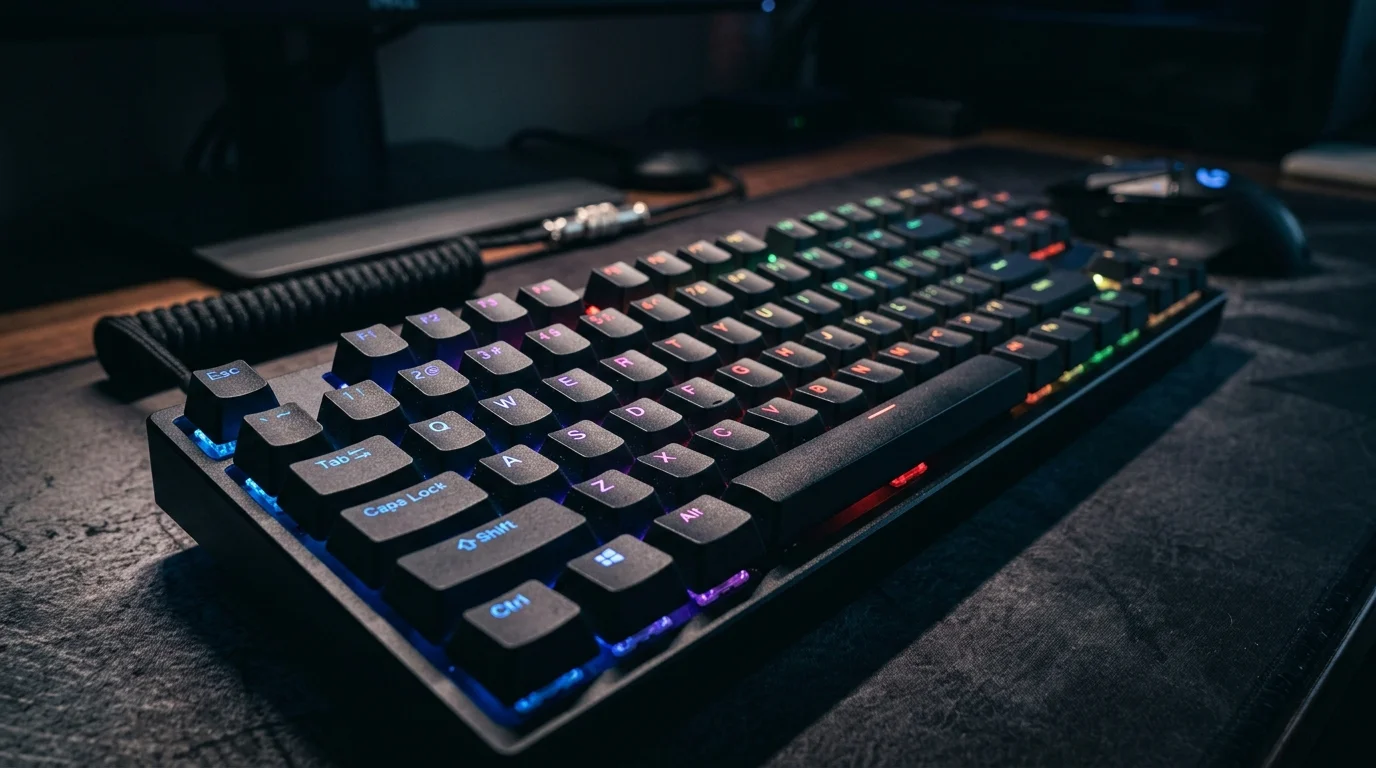
Per-key RGB lighting isn’t just for looks. In dim rooms, it helps you find keys faster and adds a layer of practical visibility during late-night sessions.
Many gaming keyboards also come with software for creating custom macros, remapping keys, and adjusting per-game lighting profiles. If you play competitive games with complex ability rotations, macro support can genuinely improve your speed and consistency.
Anti-Ghosting and Key Rollover
These two features matter more for gaming than typing, but they’re worth understanding either way. Anti-ghosting ensures each key you press registers correctly, even when you’re pressing several at once. Key rollover determines how many simultaneous keypresses a keyboard can accurately track.
For fast-paced games where you’re often holding multiple movement and ability keys together, full key rollover prevents missed inputs at critical moments. Nearly all modern mechanical keyboards handle this well, but it’s still worth confirming before buying if you play input-heavy games.
Budget vs Premium: What You Actually Get for More Money
Budget mechanical keyboards, generally under $60, now come with respectable switches, basic RGB lighting, and solid anti-ghosting. They’re a big step up from membrane keyboards and perfectly capable for casual gaming and everyday typing.
Mid-range keyboards, typically $80 to $150, add better build materials, PBT keycaps, and often wireless support. This range offers the best overall value for most people who split time between gaming and serious typing.
Premium keyboards above $150 bring aluminum cases, Hall-effect switches, gasket mounting, and hot-swappable switch sockets that let you change switch types without soldering. These make sense for enthusiasts and competitive gamers who want every possible edge, but they’re overkill for casual use.
How to Choose the Right Keyboard for You
Before buying, think honestly about how you’ll actually use it. A competitive gamer should prioritize Hall-effect switches with adjustable actuation and a TKL or smaller layout for extra mouse space. Someone who mostly types should look for tactile switches, PBT keycaps, and a full-size or 75% layout depending on how much they rely on a number pad.
Splitting time evenly between gaming and typing points toward a 75% layout with tactile switches for the best balance. Tight desk space calls for a 60% or 65% layout, though it requires learning some key combinations. And gaming late at night around others is a good reason to skip clicky switches in favor of a quieter linear or tactile option.
The Bottom Line
The best mechanical keyboard for gaming and typing in 2026 depends entirely on how you split your time between the two. Switch type shapes the feel more than any other single factor. Layout determines your desk space and mouse room. Build quality determines how long the keyboard lasts and how good it feels years down the line.
Whether you’re chasing the fastest possible response times in competitive games or just want a keyboard that makes eight hours of typing feel less exhausting, understanding these fundamentals, along with picking from proven options like the ones above, will help you find a board that actually fits your setup, not just one with an impressive-looking spec sheet.
Frequently Asked Questions
Tactile switches are usually the best middle ground. They give you a physical bump so you feel when a key registers, which helps typing accuracy, while still feeling responsive enough for most games.
Not really. Hall-effect switches and adjustable actuation give a real edge in competitive, fast-paced games. For casual gaming or everyday typing, a standard mechanical switch performs perfectly well without the added cost.
A 75% layout tends to offer the best balance. It keeps the function row and arrow keys while saving desk space, giving you nearly full functionality alongside extra room for mouse movement during games.
For most players, yes. Modern wireless keyboards use low-latency connections that are barely noticeable compared to wired. For high-level competitive play, wired still offers the most consistent connection.
Yes, for long-term use. PBT plastic resists shine and wear far better than the cheaper ABS keycaps found on many budget boards. If you’ll use the keyboard daily for years, PBT is worth prioritizing.